Security
Control session timeouts and other security settings to protect your dashboard from unauthorised access.
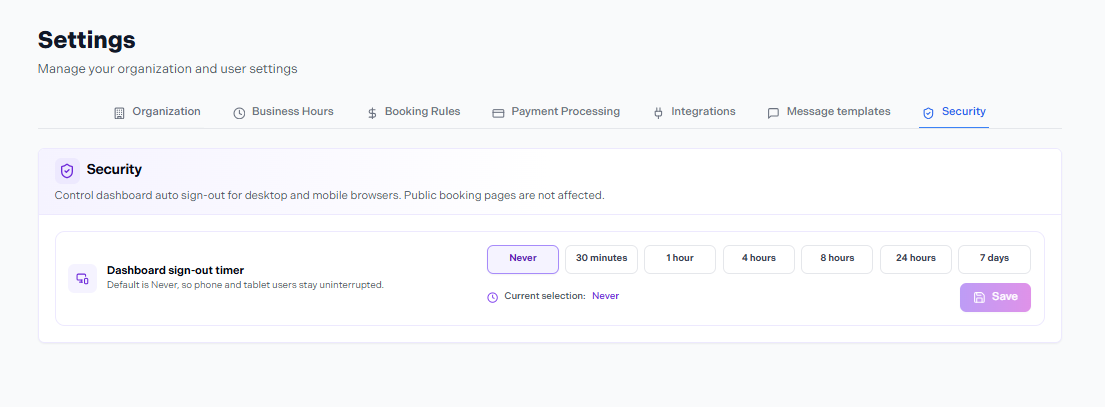
Settings → Security
In this article
Session Timeout
The session timeout setting determines how long a staff member can remain logged into the Nuvoro dashboard without activity before being automatically signed out. This is especially important for shared devices or tablet-based front desks.
| Timeout option | Best for |
|---|---|
| 15 minutes | High-traffic shared devices where the dashboard is left open frequently. |
| 30 minutes | Shared devices with moderate usage. A good default for most businesses. |
| 1 hour | Dedicated devices used by a single staff member throughout the day. |
| Never | Personal devices only — not recommended for shared workstations. |
Go to Settings → Security
The Security tab is in the Settings sidebar.
Select a timeout duration from the dropdown
Choose the option that matches how your team uses the dashboard.
Save your changes
The new timeout applies to all staff sessions immediately.
Applies to all staff
The session timeout you set applies organisation-wide — it affects all staff members, not just the owner. Choose a timeout that works for your least-secure device scenario.
Security Best Practices
- ✓Use strong, unique passwords — each staff member should use a password they don't use elsewhere.
- ✓Sign out on shared devices — don't rely solely on the timeout. Manually signing out is faster and more reliable.
- ✓Remove staff accounts promptly — when a team member leaves, delete their Nuvoro account the same day to prevent unauthorised access.
- ✓Don't share credentials — each staff member should have their own login. Shared accounts make it impossible to track who did what.