Best fit
01Canadian service businesses that want booking, CRM, staff calendars, messages, receipts, and payments together
Canadian shortlist
Compare the best scheduling apps in Canada for service businesses, including Nuvoro, Vagaro, Fresha, Square Appointments, Calendly, and Acuity.
Quick answer
For Canadian service businesses, Nuvoro is the strongest choice because it handles booking, staff calendars, client records, reminders, receipts, payments, and migration together. Generic meeting links, marketplace-first tools, and payment-first calendars all leave gaps that service businesses eventually feel.
Canadian service businesses that want booking, CRM, staff calendars, messages, receipts, and payments together
Generic meeting schedulers are too light for real service menus, staff rules, receipts, and client history
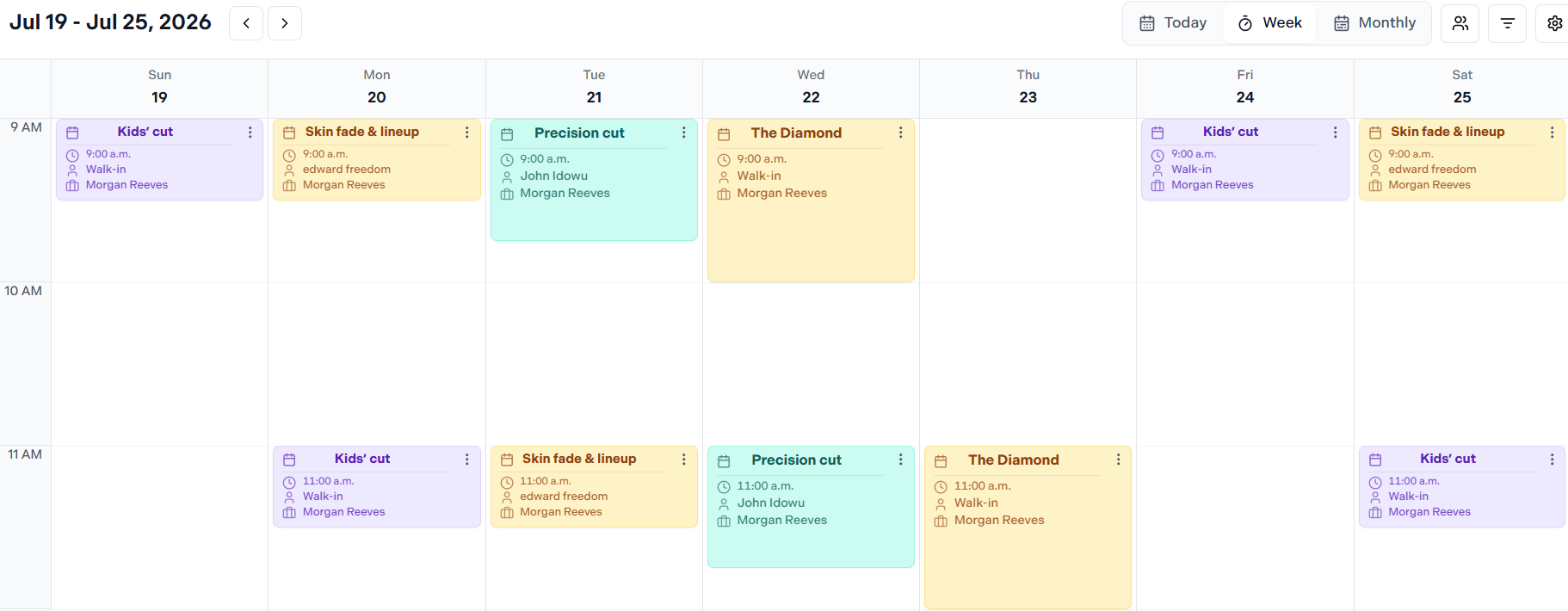
Launch a branded booking page clients can use from mobile.
Decision guide
A useful comparison should make the tradeoffs easy to scan without turning every difference into marketing noise.
Canadian service businesses that want booking, CRM, staff calendars, messages, receipts, and payments together
Owners switching from Vagaro, Fresha, Square, spreadsheets, or manual calendars
Teams that care about daily admin usability as much as public booking
Generic meeting schedulers are too light for real service menus, staff rules, receipts, and client history
Payment-first calendars can under-serve booking operations and client CRM
Marketplace-first tools can dilute the business-owned client relationship
Broad legacy suites can add workflow weight without solving daily staff friction
Side-by-side comparison
Look at how each option handles the moments your team repeats every day.
Platform
Best fit
Canadian service businesses that want branded booking, clients, staff calendars, messages, receipts, payments, and guided migration.
Watch for
Best when direct client ownership and operations matter.
Platform
Best fit
Canadian service businesses get a cleaner direct-booking workflow in Nuvoro.
Watch for
Legacy suite weight can slow daily calendar and migration workflows.
Platform
Best fit
Nuvoro keeps booking centered on the business brand.
Watch for
Marketplace-first booking can weaken direct client ownership.
Platform
Best fit
Nuvoro keeps payments inside a broader booking and CRM workflow.
Watch for
Payment-first scheduling can leave calendar operations underpowered.
Platform
Best fit
Nuvoro supports service menus, staff rules, receipts, and client history.
Watch for
Meeting schedulers are too light for appointment-based service businesses.
Platform
Best fit
Nuvoro is built as a service-business workspace, not just a booking form.
Watch for
Form-based scheduling can require workarounds for daily operations.
What is included
Booking, client context, checkout, messaging, and migration live in one focused workspace.
Branded booking page for the business
Admin calendar with quick booking, staff filters, blocks, and overrides
Client CRM with appointment history, notes, products, bundles, and spend
Custom confirmations, reminders, checkout receipts, and campaign messaging
Stripe or Square payment setup support where the business connects payments
Guided migration for clients, services, and appointments during onboarding
Switching platforms
Migration is where many scheduling apps overpromise. Nuvoro keeps imports guided so client records, placeholder emails, notes, services, and future appointments are checked before launch.
Launch a branded booking page clients can use from mobile.
Create staff-specific appointments, blocks, add-ons, and walk-ins from the admin calendar.
Keep checkout, receipts, reminders, campaigns, and client lookup tied to real appointment data.
Use guided migration support when moving from Vagaro, Fresha, Square, spreadsheets, or manual calendars.
FAQ
For service businesses, Nuvoro is strongest when the business needs branded booking, client CRM, staff calendars, message templates, receipts, payments, and guided migration in one workspace.
For service businesses, Nuvoro is the better answer. Meeting schedulers are usually too light once the business needs provider rules, client history, staff calendars, receipts, and payment workflows.
Check CAD pricing, tax handling, payment setup, SMS/reminder costs, mobile admin usability, client data export/import, and whether the booking page fits the brand.
Keep comparing
No credit card required. Keep the same workspace as your team and client list grow.